Multi-track DAW for macOS
Version control
for your recordings
ScratchTrack brings powerful branching and merging to audio production. Experiment freely, collaborate without conflicts, and never lose a take again.
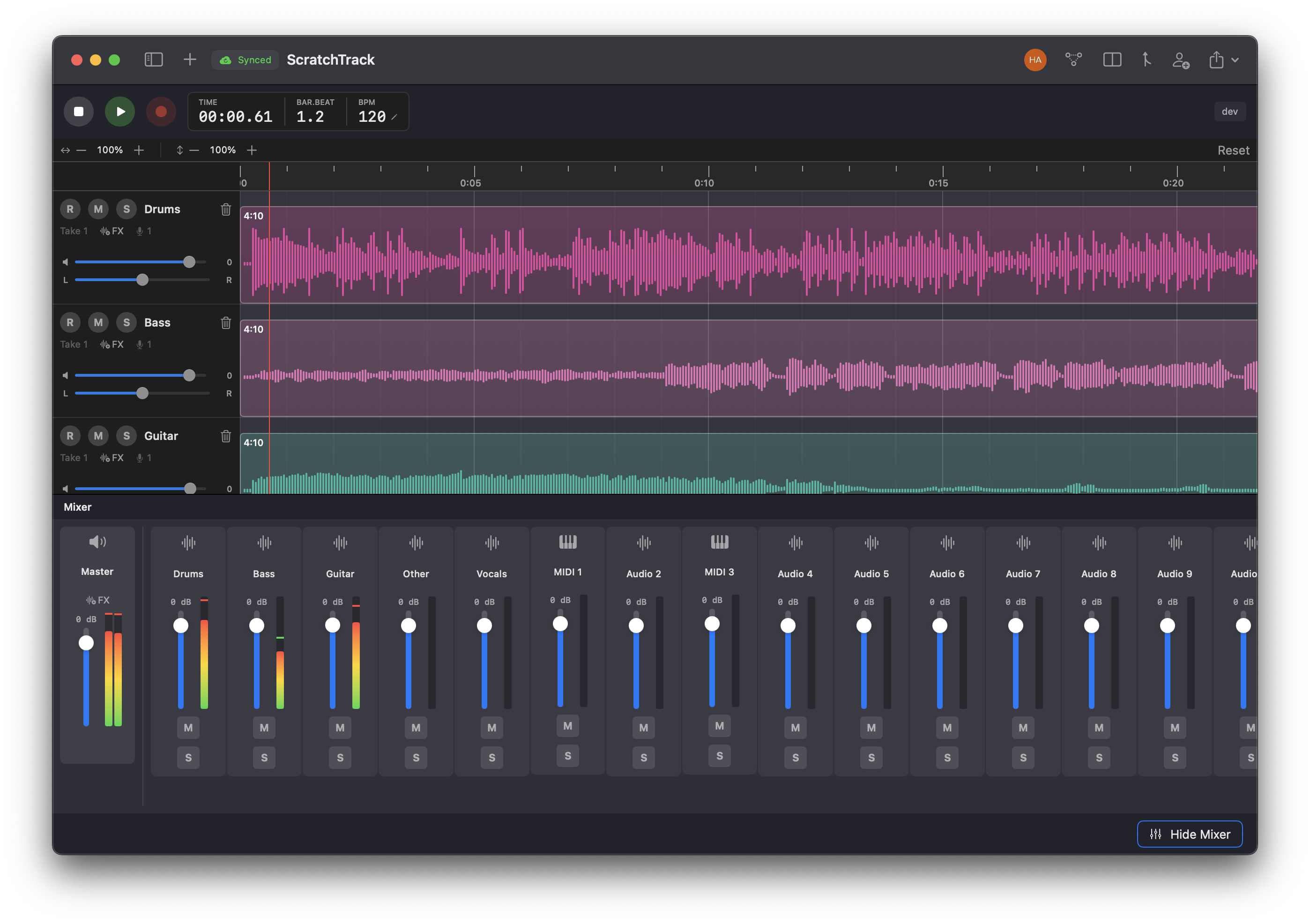
Your project history, visualized
Every recording, edit, and mix decision tracked. Branch to experiment, merge what works.
Built for how you actually work
Not another DAW trying to do everything. ScratchTrack focuses on what matters: capturing ideas and keeping them organized.
Branch Your Ideas
Create branches to explore different arrangements, mix approaches, or instrument choices without affecting your main session. Merge back what works.
Conflict-Free Collaboration
Work with session musicians, producers, or co-writers asynchronously. ScratchTrack handles merge conflicts intelligently so you stay in creative flow.
Complete History
Every recording, edit, and mix decision is preserved. Revert to any point in your project's history. Compare takes across time.
Multi-Track Recording
Record multiple inputs simultaneously with take-based comping. Monitor playback while recording. High-resolution 24-bit audio with 32-bit processing.
Works Offline
Full functionality without an internet connection. Changes sync automatically when you're back online. Your work is always accessible.
Export Anywhere
Export individual stems or full mixes as industry-standard WAV files. Take your tracks into any DAW for final production.
A workflow that makes sense
The branching and merging concepts are intuitive. Once you try it, you'll wonder how you ever worked without it.
Record your session
Capture multi-track recordings with automatic take management. Each recording creates a commit in your project history.
Branch to experiment
Want to try a different arrangement? Create a branch. Your original stays untouched while you explore alternatives.
Share for collaboration
Invite collaborators with granular permissions. Recipients can always access incoming collaborations, then contribute on branches and suggest merge requests.
Merge the best ideas
Review changes, resolve conflicts intelligently, and merge contributions into your main session.
See it in action
A familiar interface designed for musicians, with powerful version control built in.
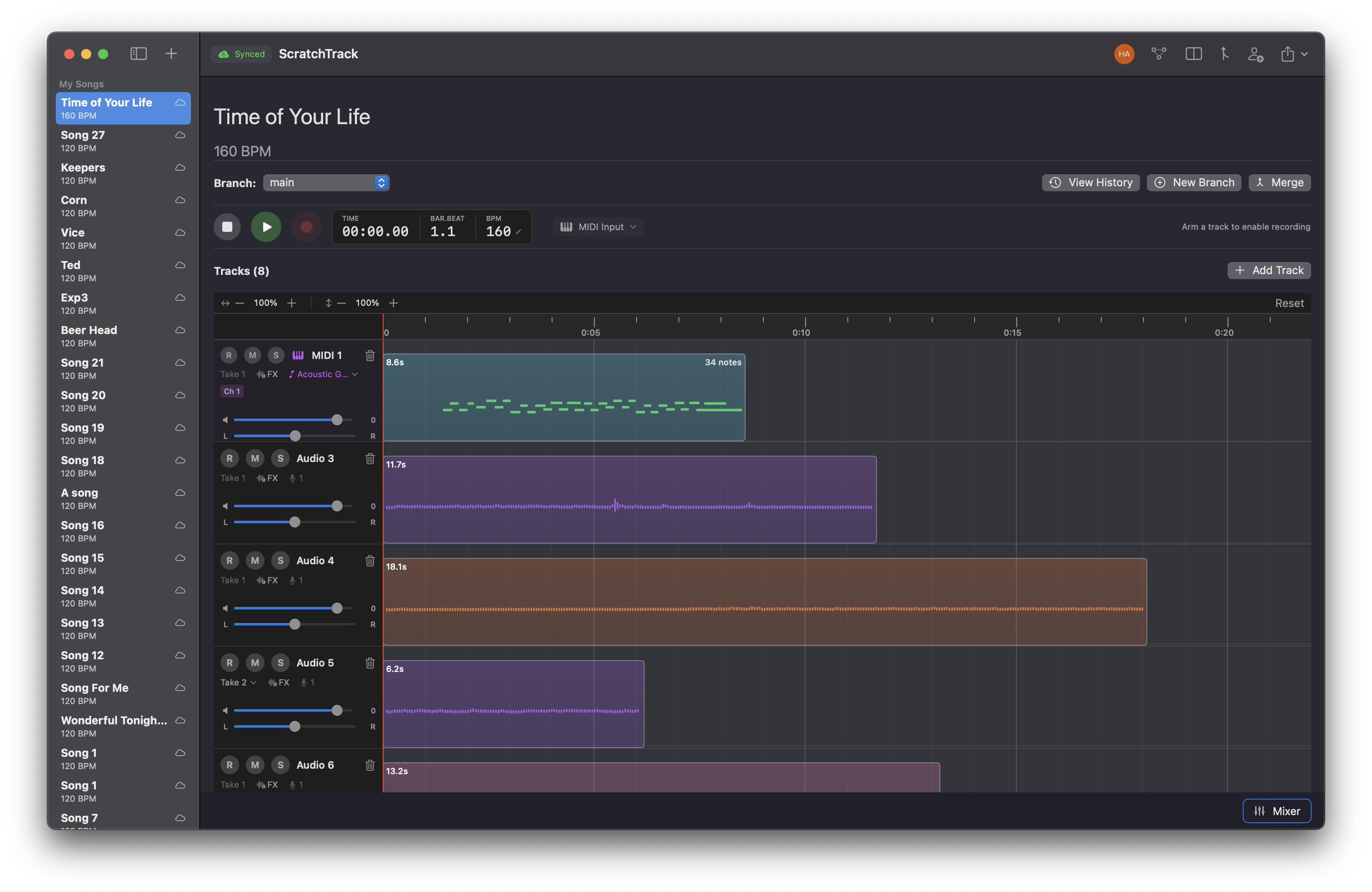
1. Create a branch and record your ideas without fear
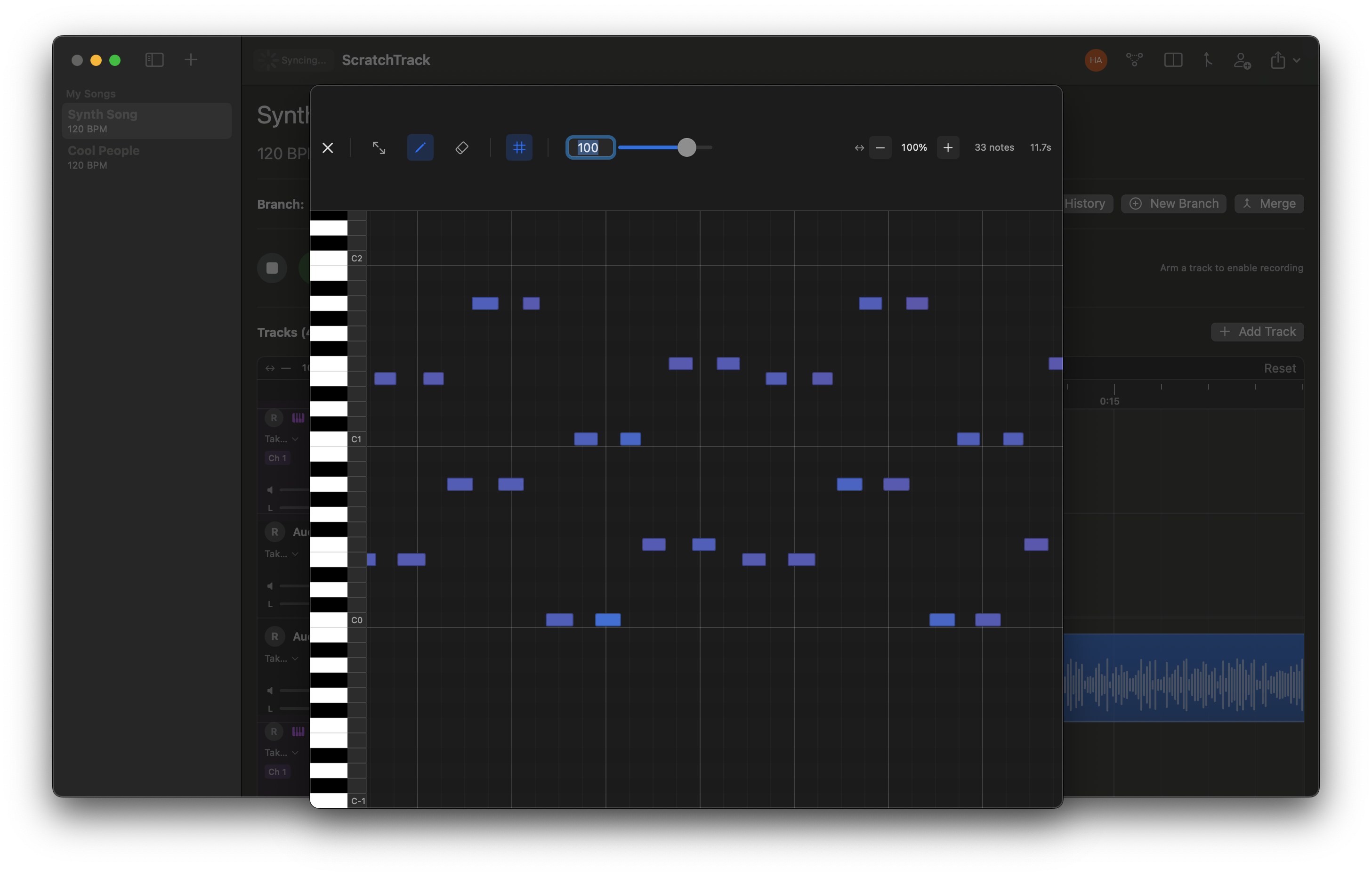
2. Create untlimited tracks (midi or audio)
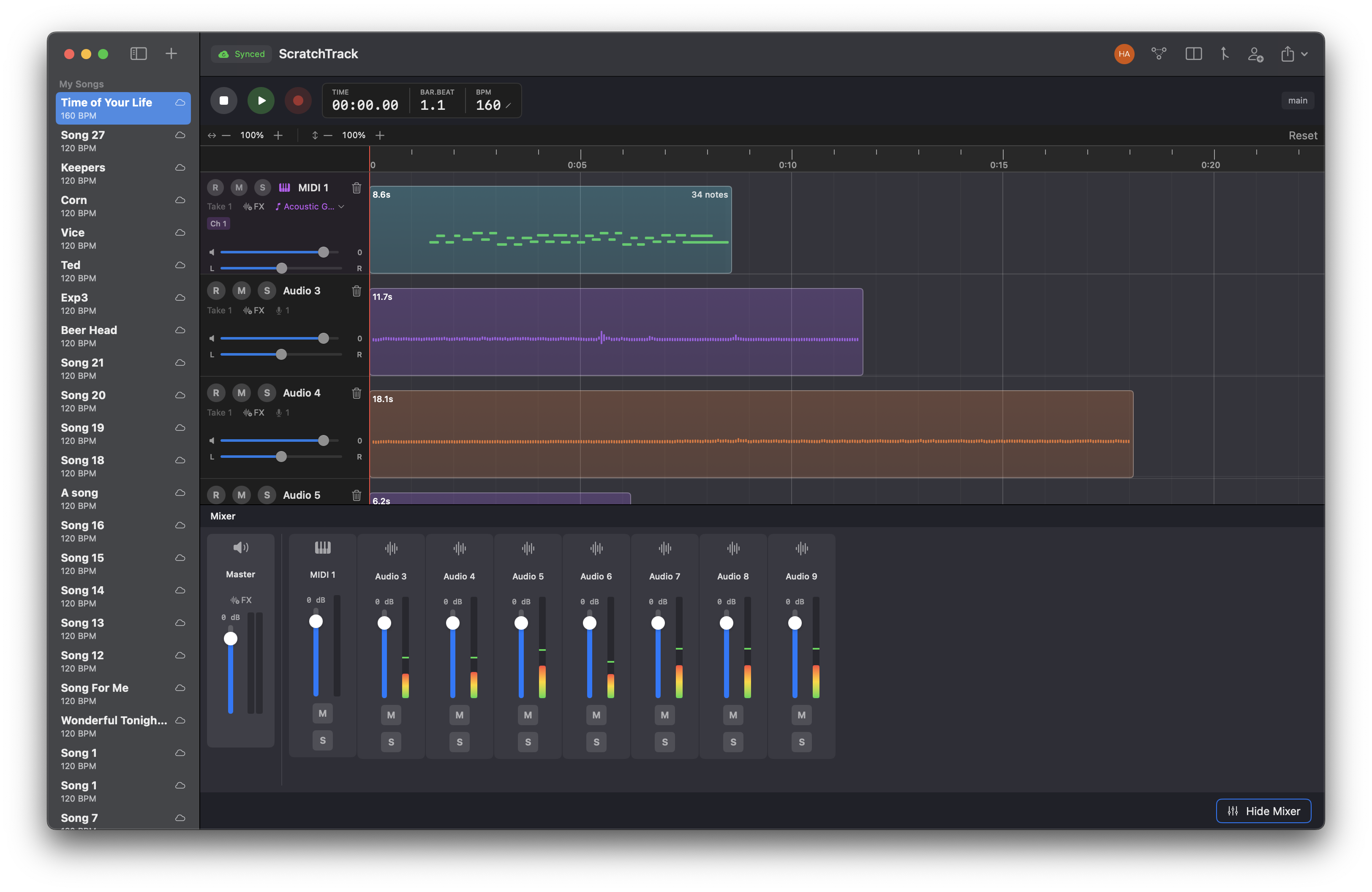
3. Edit, refine, and mix your tracks until they feel right
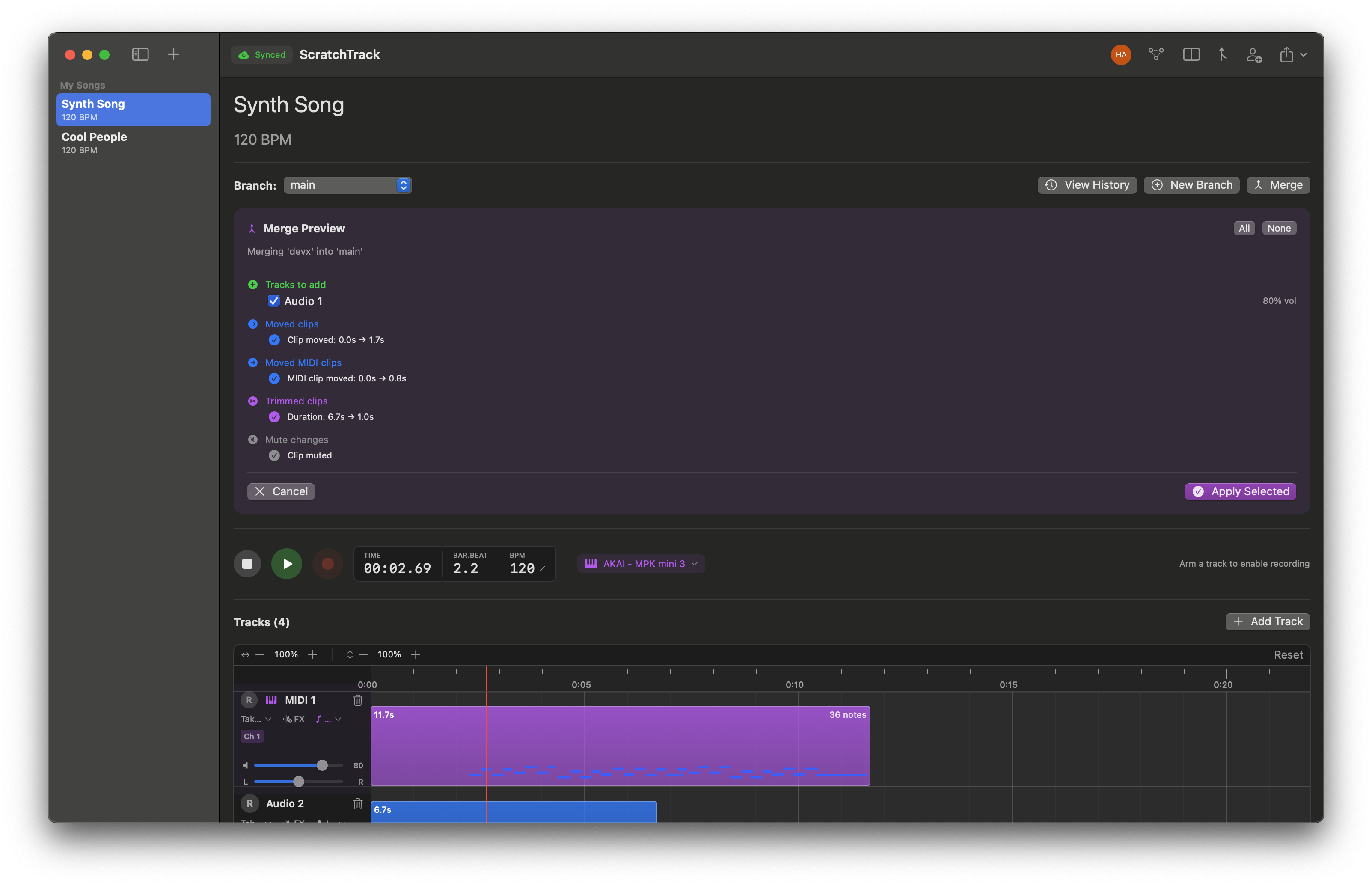
4. Merge the best takes back into your main session
Analyze and Isolate
Professional audio analysis tools built right in. Visualize your frequency spectrum in real time and isolate vocals from any track with AI-powered separation.
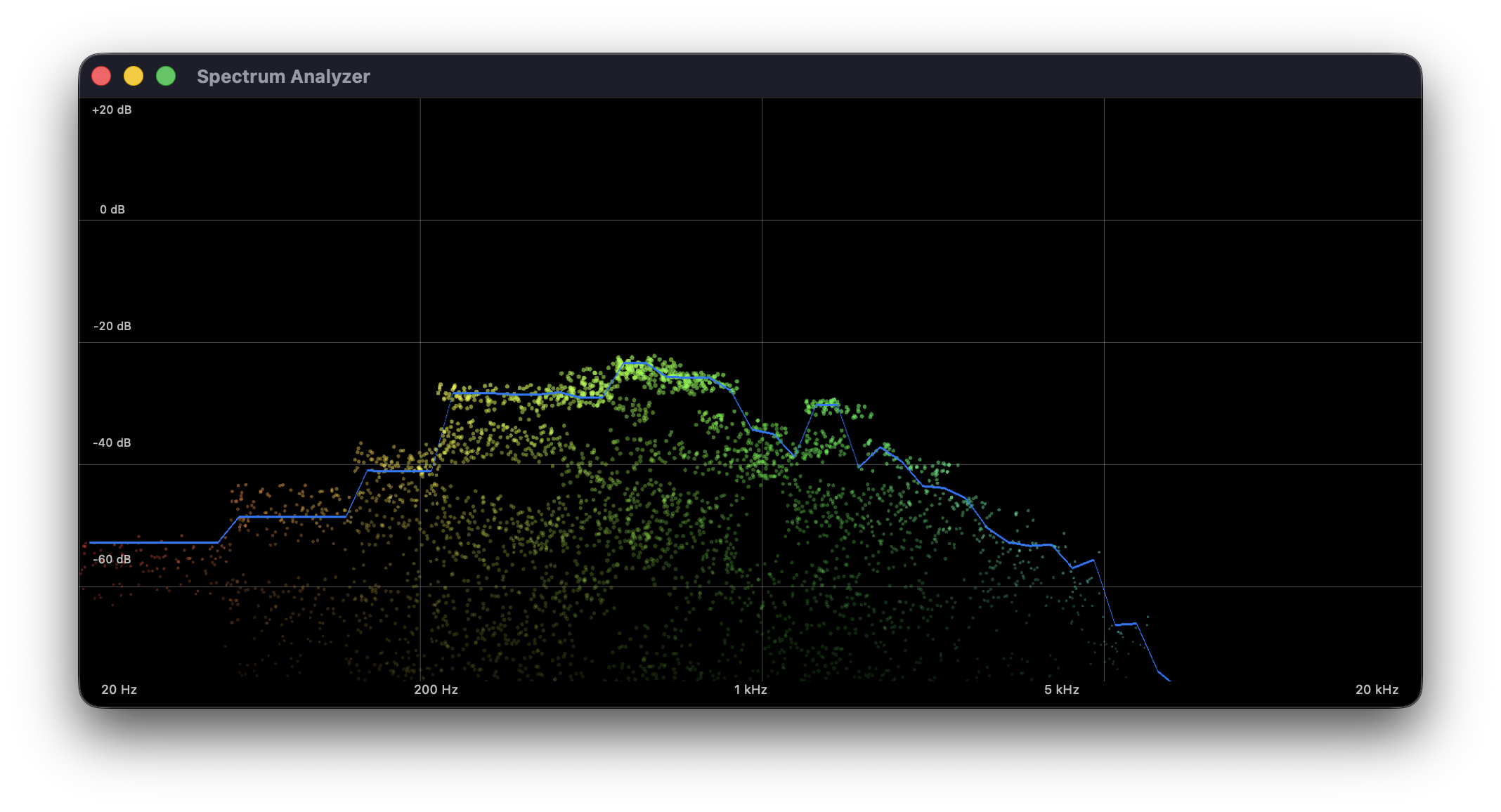
Spectrum Analyzer
See your audio in full detail with a real-time spectrum analyzer. Identify frequency buildups, monitor your mix balance, and make informed EQ decisions — all without leaving ScratchTrack.
Voice Isolation
Separate vocals from instrumentals using on-device AI. Extract a vocal track from a mixed recording, isolate a melody for reference, or remove vocals to create backing tracks — all processed locally on your Mac.
Sync and Collaboration
Start free with up to 3 active synced songs, and keep creating local songs after that. Receiving collaborations is always free, so invited collaborators can always open and work on shared projects.
Cloud Sync
Free accounts can keep up to 3 active cloud-synced songs. Need another slot? Downsync a song to local-only, or upgrade for unlimited active sync.
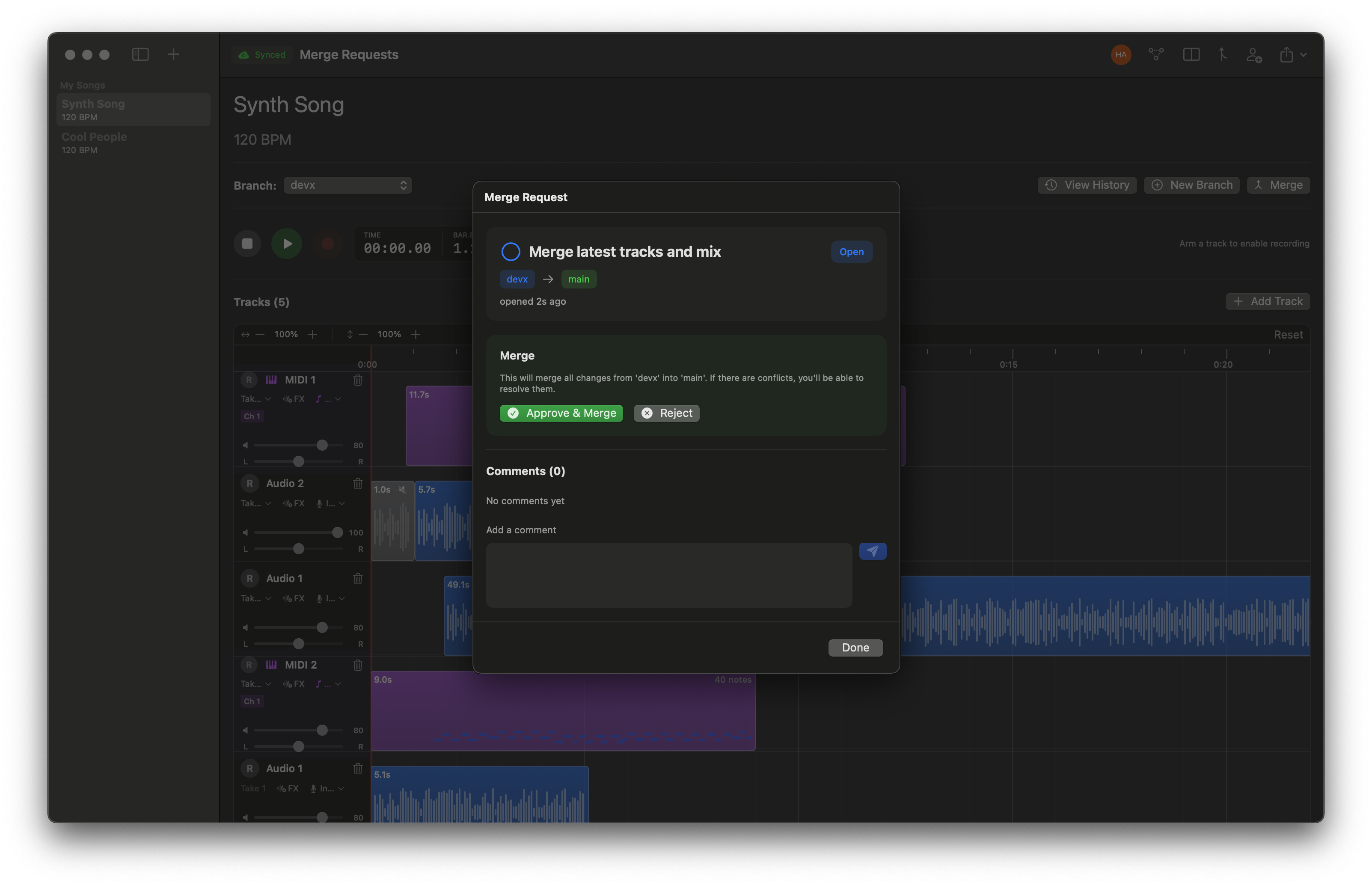
Merge Requests
Collaborators can propose changes via merge requests. Review their contributions, add comments, and approve or reject changes before they're merged into your main session. Receiving and reviewing incoming collaboration changes is always free.
Simple, transparent pricing
Start free with 3 active synced songs and always-free incoming collaboration. Upgrade when you want unlimited active sync and outbound sharing.
Free
For local work, plus starter cloud sync
- Unlimited local projects
- Up to 3 active cloud-synced songs
- Create local-only songs anytime
- Receive shared songs for free
- Multi-track recording
- Full version history
- WAV export
- Native macOS app
Pro
For unlimited sync and sharing from your projects
- Everything in Free
- Unlimited active cloud sync
- Share projects with collaborators
- Merge requests for owned songs
- Priority support
Ready to try a better workflow?
Download ScratchTrack for free. Create an account and start recording in minutes.
Requires macOS 15+
Send us feedback
Have a feature request, bug report, or just want to say hi? We'd love to hear from you.